Suggested Courses



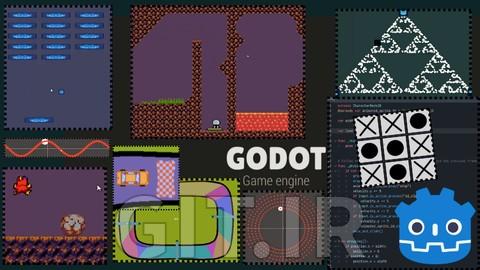
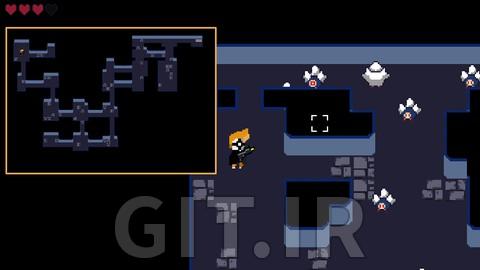
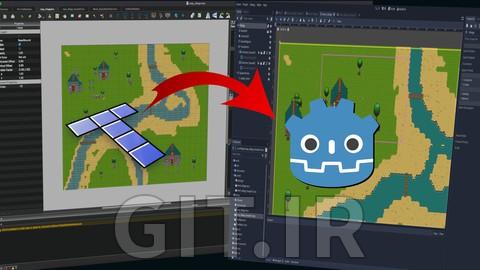

Godot Game Development — A Complete Guide to Learning
Godot has rapidly become one of the most beloved and fast-growing game engines in the world. Unlike many commercial engines, Godot is entirely free, open-source, lightweight, and built with a creator-first philosophy. It offers a level of freedom, flexibility, and simplicity that appeals to indie developers, artists, programmers, and anyone who wants to build games without facing steep learning curves or licensing limitations.
Whether you are an absolute beginner with no prior experience, a developer migrating from other engines, or an experienced programmer aiming to prototype ideas faster, learning Godot opens a world of creative possibilities. The engine provides an elegant architecture, a clean workflow, and a powerful scripting system that allow you to build 2D, 3D, mobile, and even web games with ease.
This guide is designed to help you understand what makes Godot unique, how it can accelerate your game development journey, and why it has become one of the top choices for modern creators.
What Makes Godot Different?
Godot stands out because it is more than just a game engine — it is a development philosophy. It gives you complete ownership of your work, a lightweight toolset, and a clear, beginner-friendly learning curve. Many developers choose Godot because:
It is 100% free with an MIT license
There are no royalties or revenue-share requirements
It is lightweight and runs smoothly on almost any computer
It offers a clean and intuitive node-based architecture
The engine provides built-in tools for animation, UI, 2D tilemaps, physics, and scripting
It allows exporting to nearly every major platform
Godot’s open nature also encourages a strong, supportive community that continuously contributes new features, improvements, and plugins.
The Node and Scene System — Godot’s Core Strength
Most engines use GameObjects or Actors as their primary building blocks, but Godot follows a different and cleaner approach:
everything is a Node, and every collection of nodes forms a Scene.
This simple yet powerful system offers:
Highly modular game development
Easy project organization
Fast prototyping
Reusable game objects
Reduced complexity for beginners
Flexible scalability for large projects
Instead of struggling with intricate hierarchies, Godot makes it easy to break your project into simple, independent scenes — characters, UI elements, levels, enemies, and anything else.
Scripting in Godot — GDScript, C#, and More
Godot supports multiple scripting languages, giving developers flexibility depending on their background:
GDScript
A Python-like scripting language created specifically for Godot. It is fast to learn and perfect for beginners.
C# (Mono)
Ideal for developers coming from Unity or the .NET ecosystem.
C++
For performance-critical systems or engine-level modifications.
VisualScript
A visual programming method, though now less commonly used.
This variety ensures that regardless of your programming experience, you can smoothly transition into Godot development.
Why Godot Is Great for Beginners
Learning game development can be overwhelming, but Godot reduces the friction dramatically:
Extremely gentle learning curve
Lightweight installer and fast boot time
Immediate visual feedback
Clear documentation
Simple scripting
Integrated tools for animation, audio, UI, debugging, and importing assets
Many first-time developers report that Godot allowed them to build their first prototype in hours — something that might take days in other engines.
Godot for 2D Games — One of the Best in the World
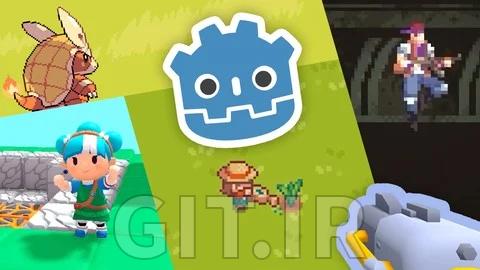
Godot’s 2D engine is widely considered one of the best and most intuitive available today. It is not a “scaled-down 3D engine” like in many commercial tools; instead, Godot’s 2D system is purpose-built, offering:
A fully independent 2D renderer
Pixel-perfect rendering
TileMap and TileSet editors
Smooth animations
Built-in physics and collision layers
Easy UI design
From platformers to puzzle games, top-down RPGs, and mobile titles, Godot excels at 2D game creation.
Godot for 3D Games — Powerful and Improving Rapidly
With the release of Godot 4, the engine has made massive strides in 3D rendering and performance:
Vulkan renderer
Global illumination
Better physics
Improved shadows and lighting
Higher performance across the board
Godot is now a strong option for indie 3D projects, stylized environments, and medium-scale action or adventure games.
Building Mobile Games with Godot
Godot exports smoothly to Android, iOS, and HTML5, making it ideal for developers targeting mobile platforms.
You can easily create:
Hyper-casual games
2D arcade or puzzle games
Lightweight 3D mobile titles
Educational games
Mobile prototypes for rapid testing
Godot’s small runtime size and efficient performance also help games run well even on older devices.
The Godot Development Workflow
A typical workflow in Godot includes:
Creating a project and setting up scenes
Adding nodes and configuring properties
Implementing logic using GDScript or C#
Designing UI and menus
Importing sprites, models, and animations
Setting up physics and interactions
Building levels
Testing with the built-in debugger
Exporting for your target platform
The engine keeps everything in one place — no need for multiple external tools.
Advanced Topics for Professional Developers
Once familiar with the basics, Godot allows you to explore advanced techniques such as:
Custom tool scripts
Procedural generation
AI behaviors
Multiplayer networking
Shader programming
Optimization and profiling
Editor plugins and custom nodes
This makes Godot suitable not only for beginners, but also for skilled developers seeking a flexible engine that doesn't get in their way.
Why Choose Godot Over Unity or Unreal?
Here’s what makes Godot appealing to many developers:
No licensing fees or revenue limits
Lightweight and fast
Cleaner architecture
Open-source community
Easier to learn
Ideal for 2D games
Great for prototyping
Less overwhelming for solo developers and small teams
While Unity and Unreal remain leaders for large-scale productions, Godot offers a balance of simplicity and power that makes it perfect for indie game creators.
The Future of Godot
The Godot ecosystem is expanding rapidly:
More studios are adopting it
More tutorials and courses are created every day
Godot 4 has become a turning point for growth
Community plugins are improving the engine constantly
Many developers are migrating from Unity after licensing controversies
Godot’s future looks bright, and its development pace shows no signs of slowing down.
Final Thoughts
Godot is a rare engine that blends simplicity with depth, power with accessibility, and freedom with professional capability.
Whether you're making a passion project, building a commercial mobile game, prototyping gameplay ideas, or learning game development from scratch, Godot offers one of the best possible starting points.
It empowers developers to focus on creativity rather than complexity — and that’s why Godot continues to reshape the landscape of modern, independent game development.